 OpenTemplOpen the editor
ChatGPT poster prompts
Pick a style, copy the prompt, paste it into ChatGPT. Every style has a sample image, its palette, three versions for common jobs (a gig poster, an Instagram post, a menu) and notes on what to change. 31 styles so far.
Updated November 2026
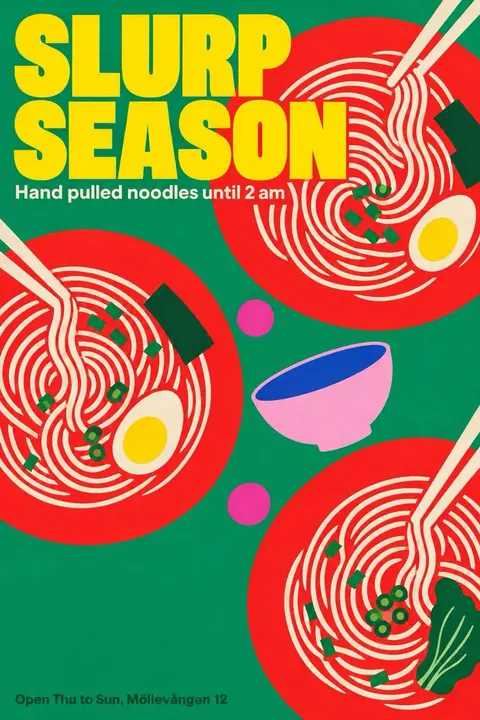 Bold Flat ColourFat red shapes on emerald, yellow type stacked tight, a Seoul canteen poster.
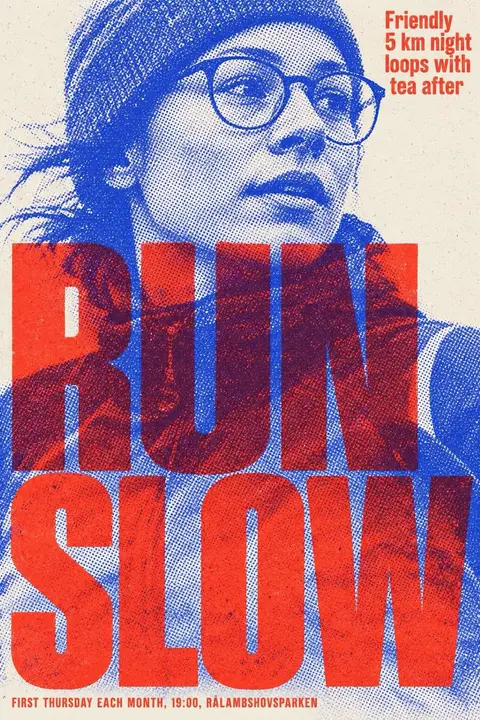 Halftone DuotoneA photographed face or animal in two clashing inks, giant type biting into it.
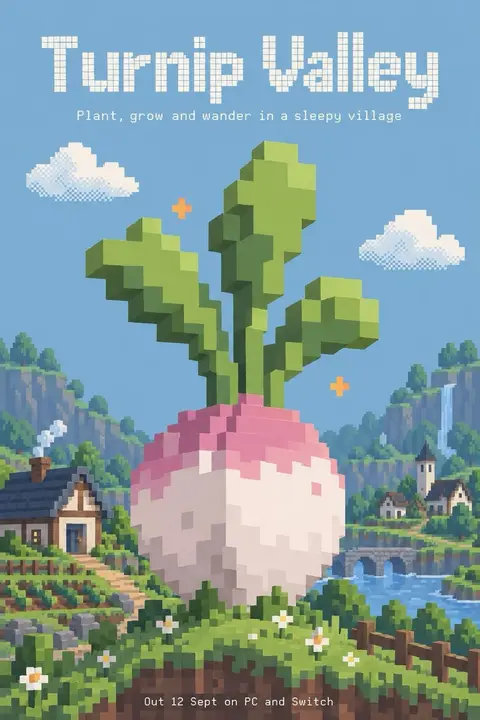 Pixel WorldVoxel flowers, dither clouds and chunky dot type float in a cut paper sky.
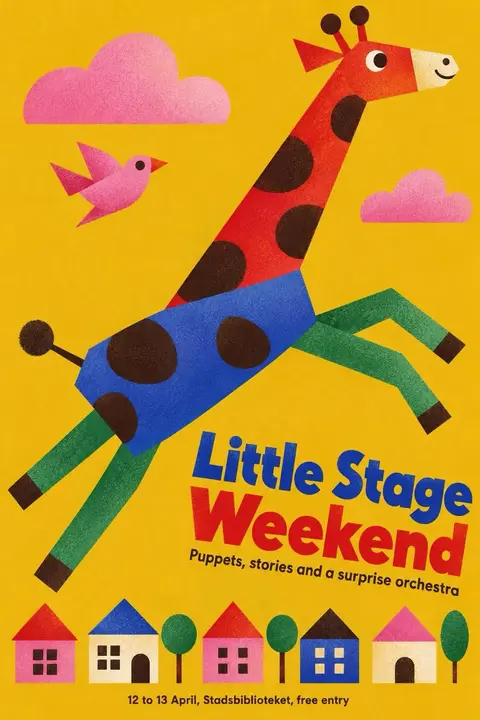 Grain Shape AnimalsBlocky animals built from clean shapes, sprayed with soft grain on warm yellow.
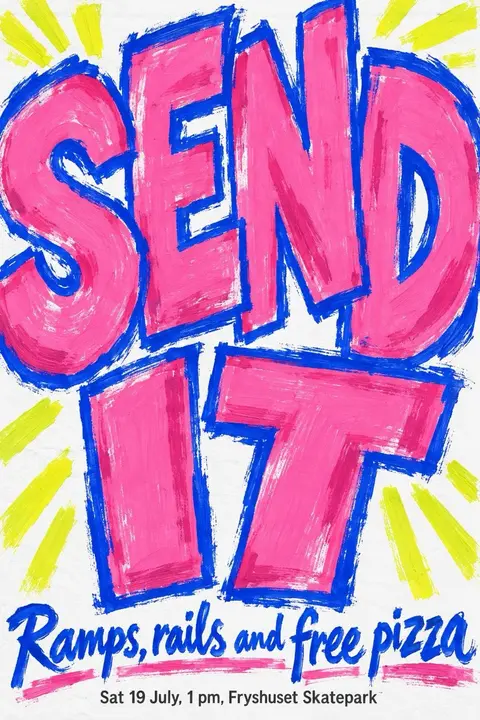 Brush Marker LetteringFat pink letters painted with a loaded brush, outlined in electric blue.
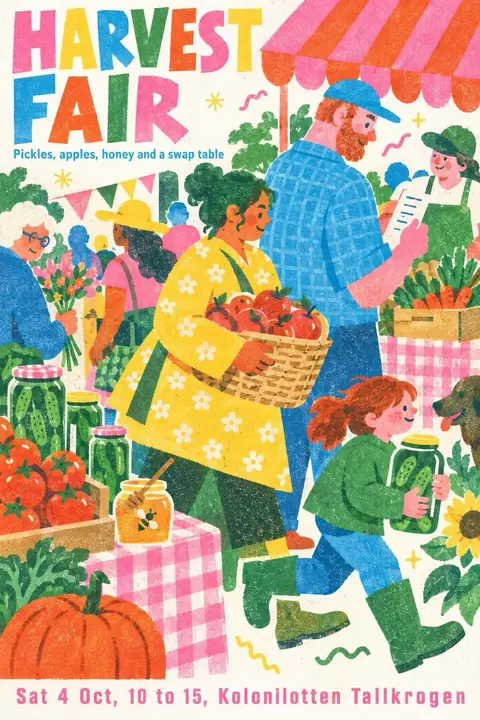 Riso Market SceneOverlapping ink people carry baskets through a market in pink, yellow and teal.
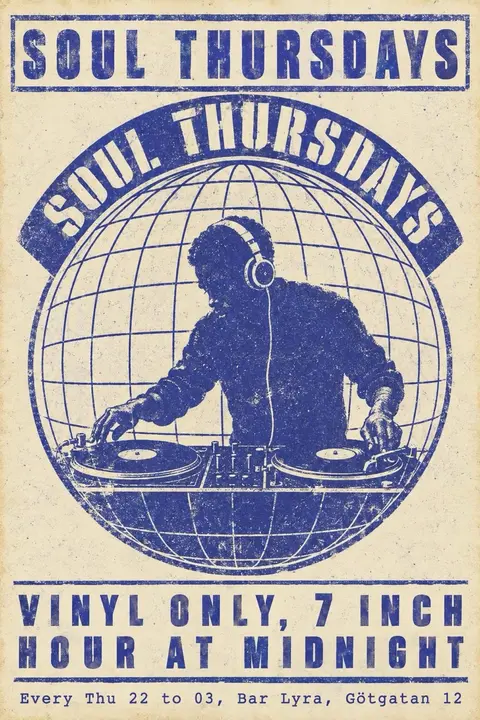 Club Flyer PrintOne blue ink on cream, a DJ inside a globe, old school flyer type.
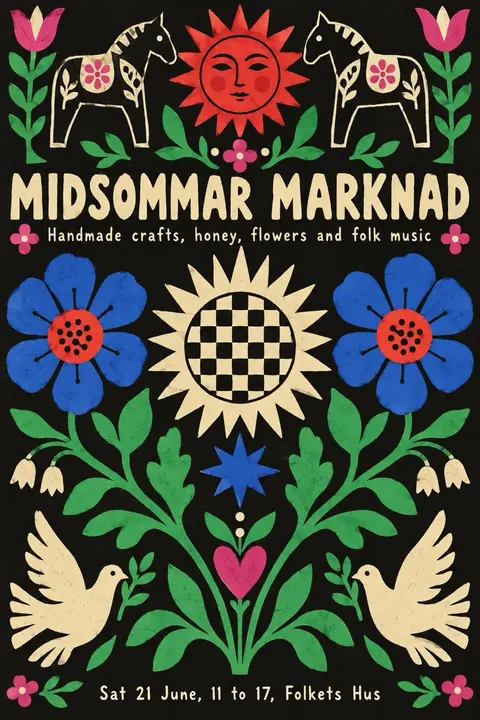 Folk Cutout GardenHand cut flowers, horses and birds mirrored on black, bright as embroidered cloth.
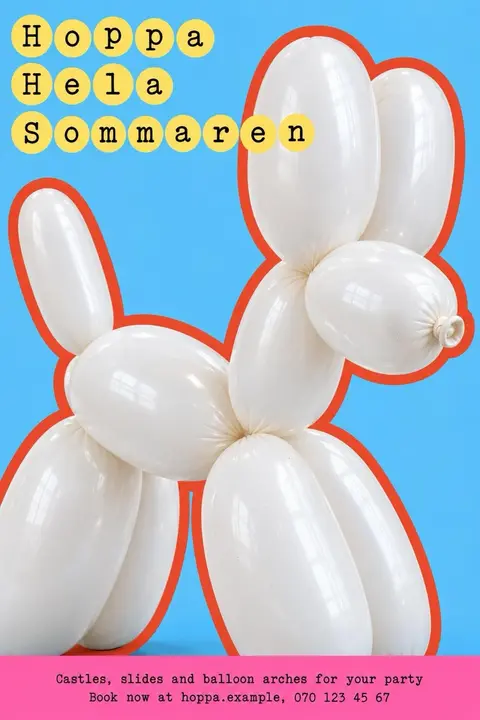 Inflatable TypePuffy letters and balloon animals, taut and glossy, with colour pooling in the folds.
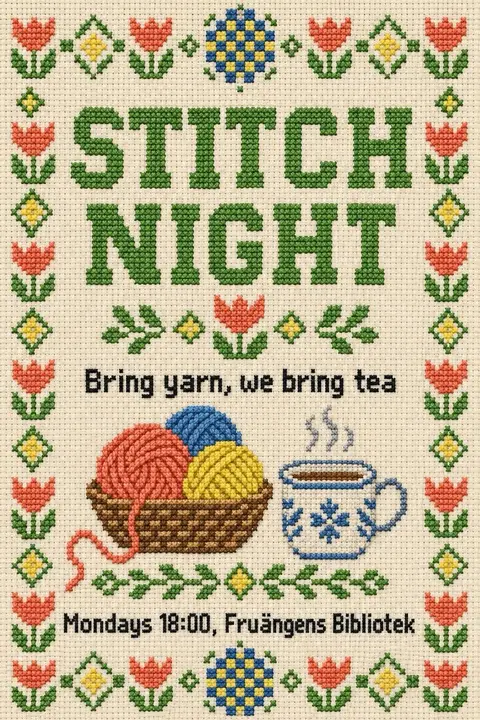 Stitched Pixel TypeLetters and flowers woven from tiny squares, like a sampler stitched on a screen.
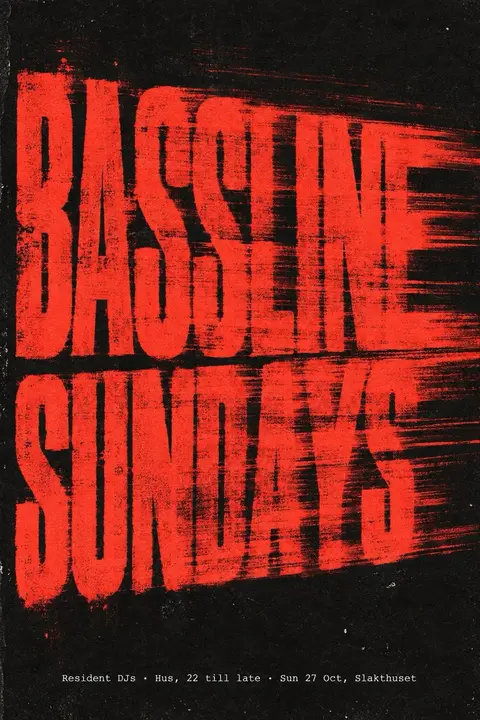 Grain Glow TypeWarped, blurred letters glow like heat, wrapped in coarse grain and one hot colour.
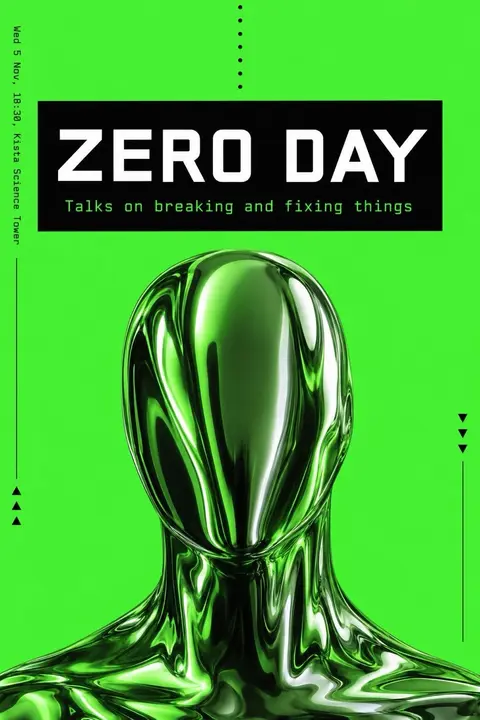 Acid Black WireBlack, white and one acid green, with chrome and mono type on a grid.
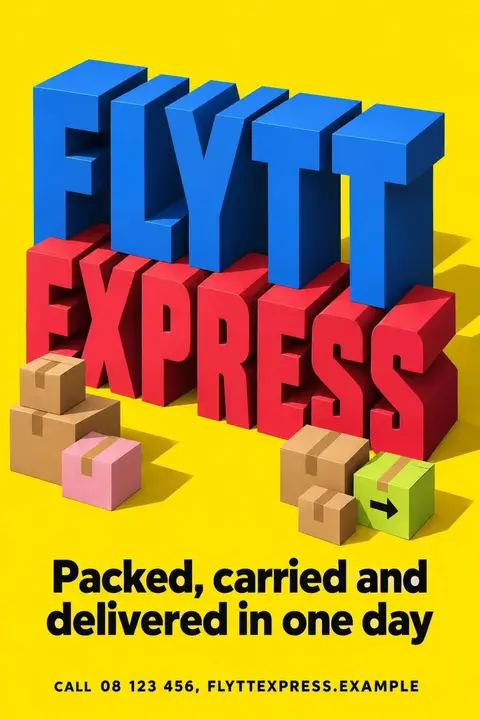 Extruded Block LettersGiant solid letters as buildings, extruded in flat colour with a clean sunny shadow.
 Sticker Cartoon PopFat outlined cartoon props float on a blue grid, each with a sticker shadow.
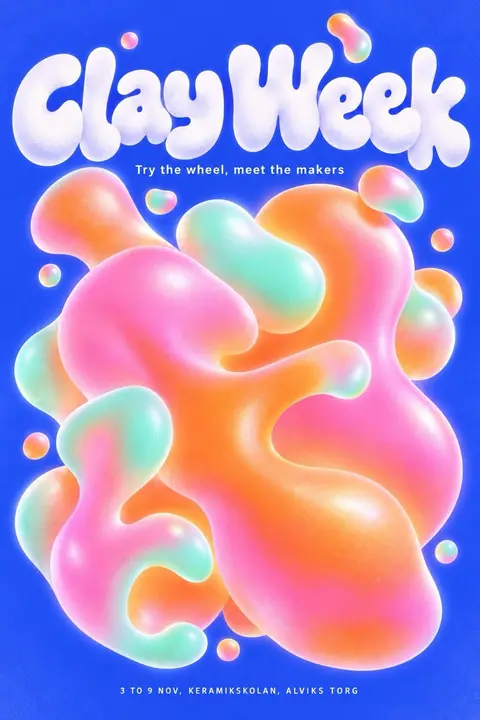 Blob Gradient PopSoft fluid blobs in blue, pink and orange swirl behind rounded letters.
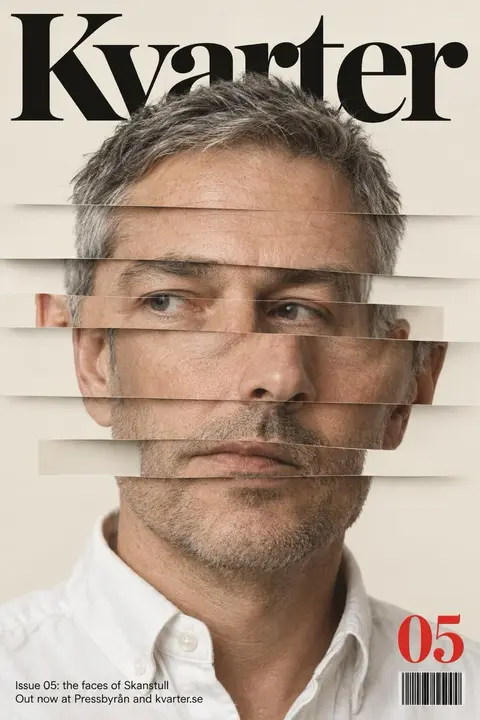 Sliced Portrait CoverA studio face cut into shifting strips under a refined serif masthead.
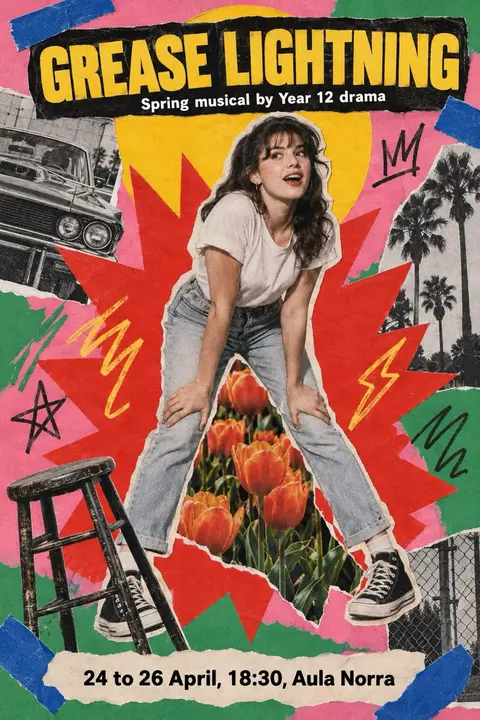 Pop Cutout CollageA hard cut figure on a red starburst, with tape, tulips and bright paper.
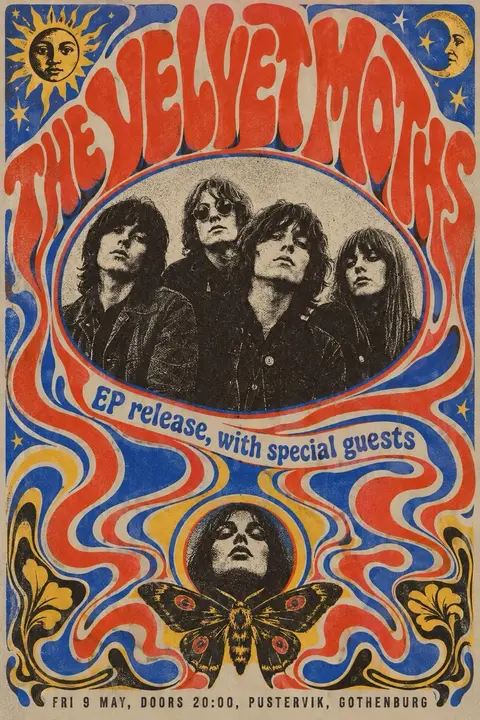 Psychedelic LetteringLetters melt into ribbons around a halftone portrait, printed in two hot inks.
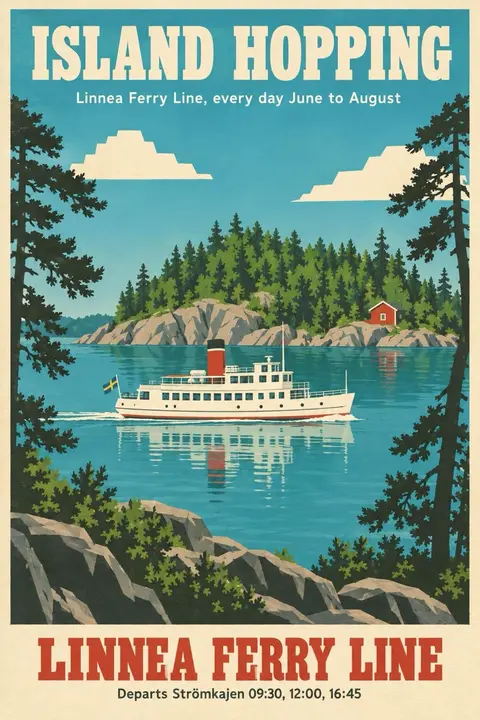 Sunny Travel PosterFlat cut shapes, palm silhouettes and a bright cream border, a postcard from 1958.
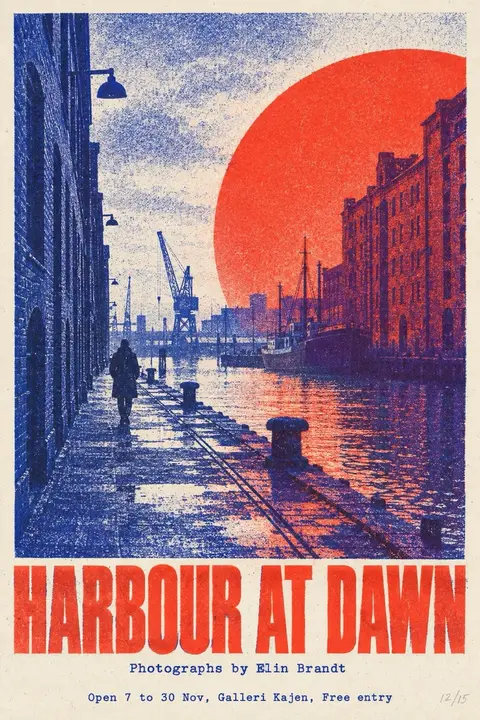 Riso Two InkA photo split into red and blue ink, grainy and not quite aligned.
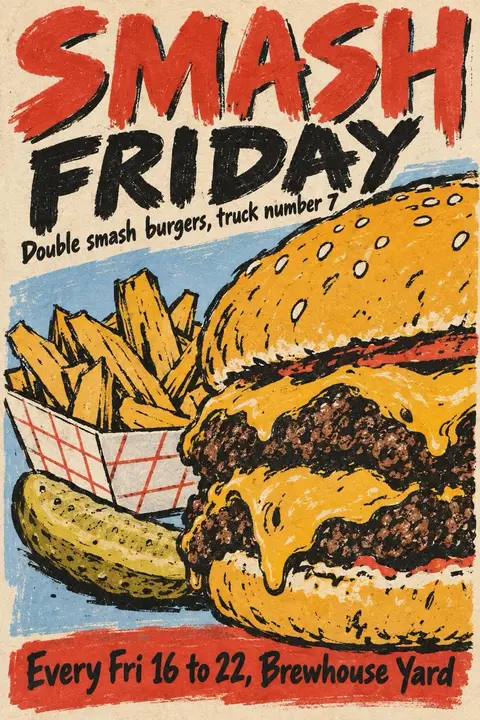
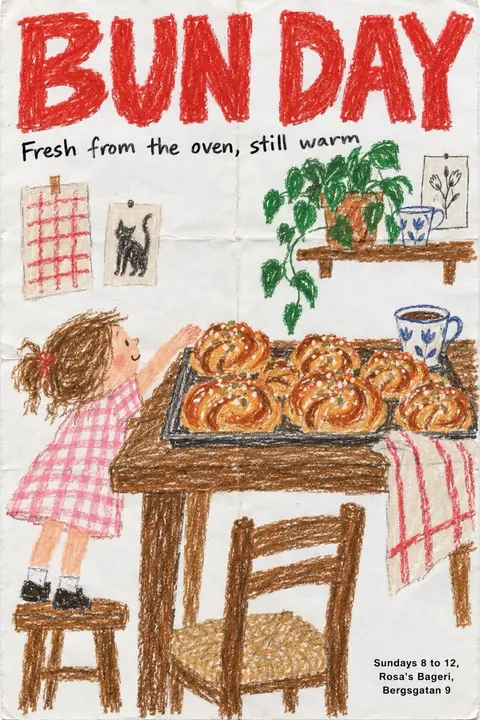 Oil Pastel ScribbleA homey scene drawn in waxy crayon on white paper, creases and all.
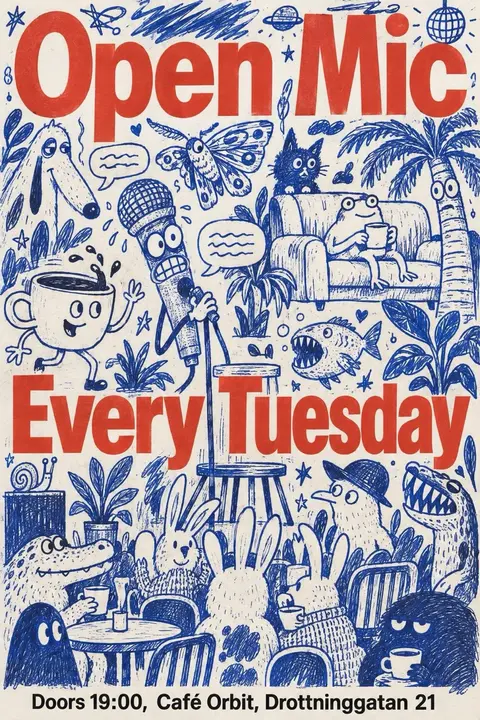 Blue Ink DoodleCrowded biro doodles in cobalt, with plain red grotesk giant over the top.
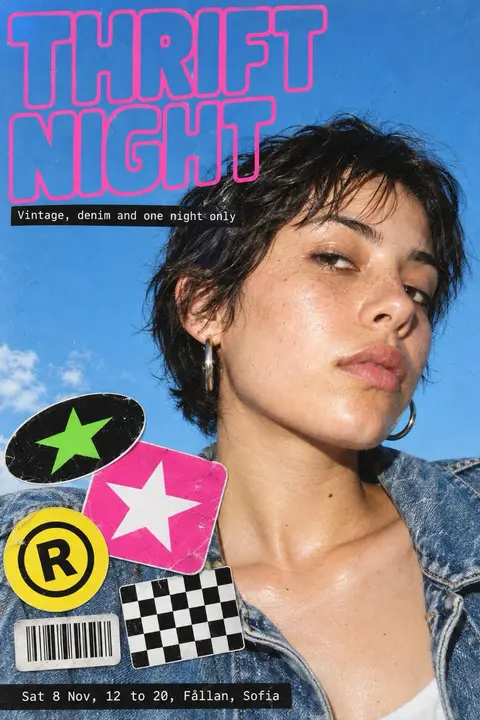 Flash Editorial PhotoDirect flash, wet skin, saturated sky and stickers slapped on like a zine.
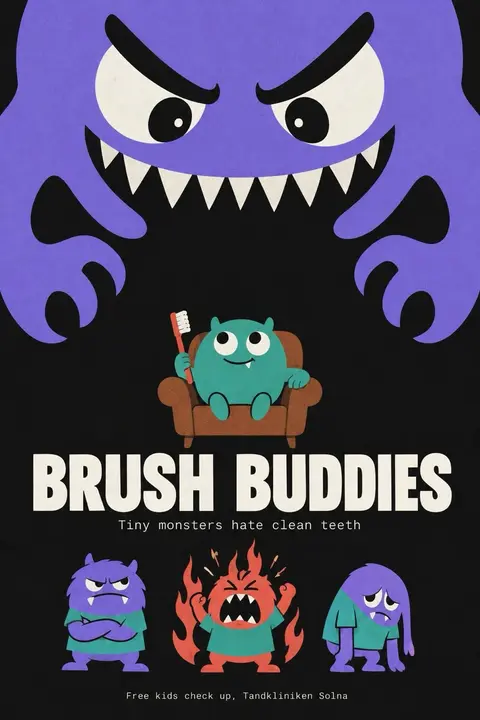 Blob MascotA giant blob with huge eyes looms over tiny angry friends, flat and funny.
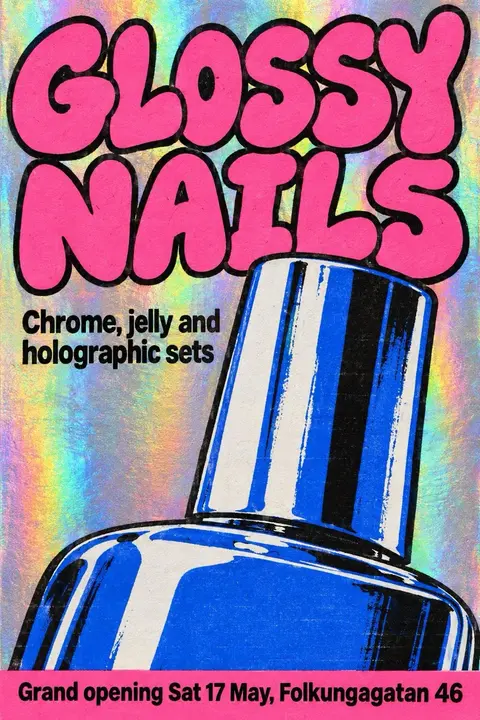 Holographic Y2KChrome blobs, a rainbow disc and glass windows, a dream of a 2001 desktop.
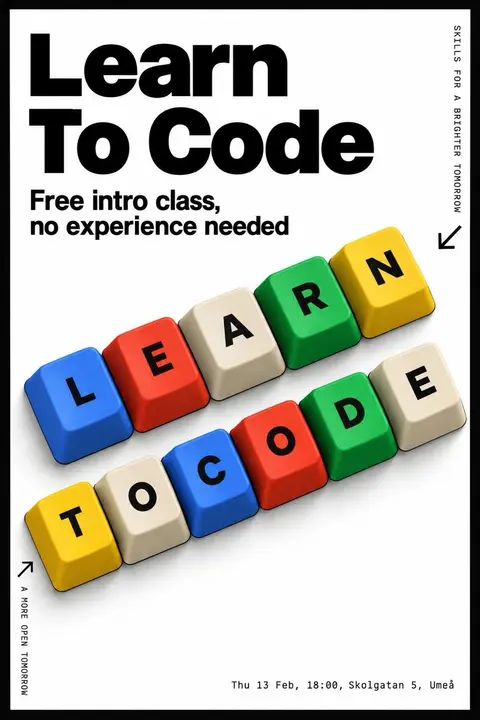 Keycap TypeWords spelled on chunky keyboard keys, tilted in isometric rows on pure black.
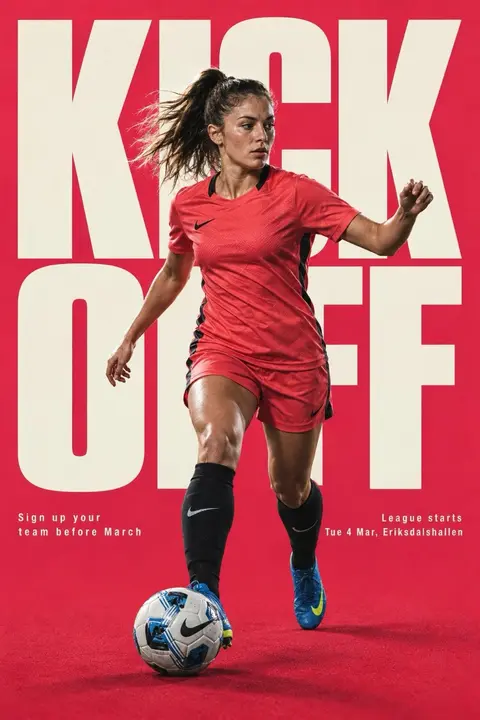 Athlete Giant TypeOne athlete cut out in front of a word as tall as the wall.
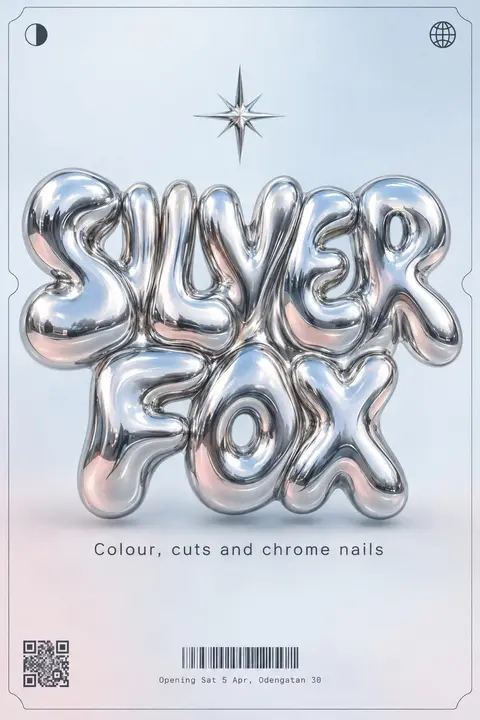 Liquid Chrome TypeLetters melted into mirror metal, blobby and bright, framed by a thin HUD border.
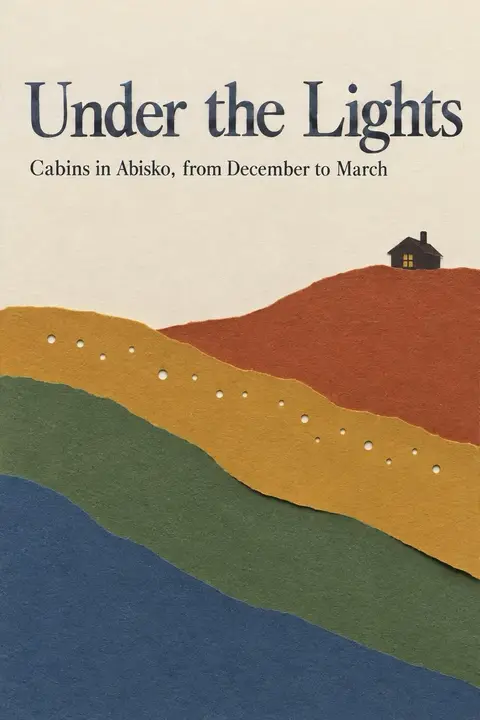 Layered PapercutStacked paper layers form a glowing valley, lit from below like a tiny theatre.
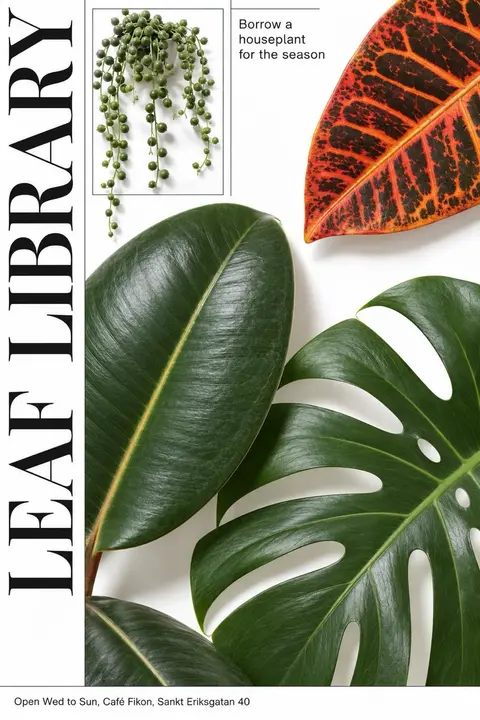 Cutout Plant CollageCut out real leaves beside tall serif letters, with one wild red leaf.
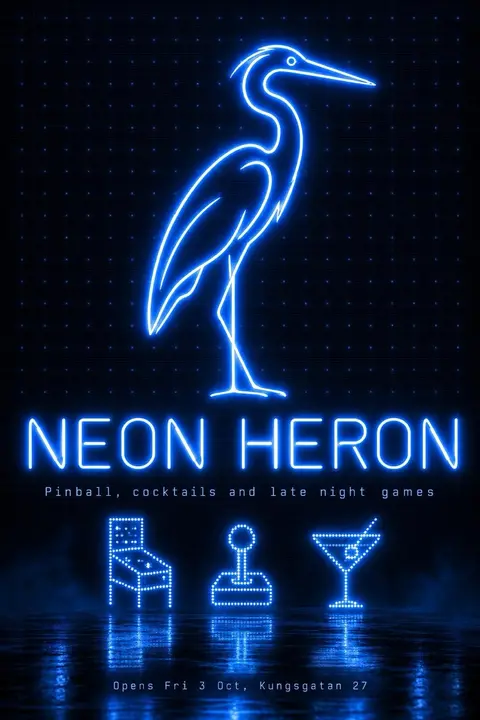 Neon Tube GlowThin tubes of cold blue light trace logos on black, humming and slightly smeared.
How to make a poster with ChatGPT
Decide the words first and keep them short. Pick a style so the picture has a point of view. Paste the prompt, change the subject and the words, and send it. Ask for one change at a time. Check every word before you save the file. The full guide goes through it step by step.
How these prompts are built
Each prompt names a medium, a palette with colour values, a composition, a texture, the exact words to draw and a list of things to keep out. Specific prompts give you more of what you meant. They come from the same written art directions that OpenTempl's Generate tab uses, one for each style.
About the words on the poster
Image models sometimes misspell. Every prompt here includes your words in quotes, and each page tells you to read the result. If you want to fix a word without making the picture again, OpenTempl can leave room for the words and set them as live text on top of the image.
Make it in OpenTempl
OpenTempl is a free, open source design app that works offline and needs no account. Its Generate tab uses these styles with your own OpenAI key. OpenAI charges you for the images you make, and OpenTempl takes nothing.
Questions
What is the best ChatGPT prompt for a poster?
One that names the style, the colours, the layout and the exact words. The prompts on these pages do all four, and they leave room to change the subject and the text.
Why does ChatGPT misspell my poster text?
Image models draw letters as pictures, and they sometimes get them wrong. Keep the words short, put them in quotes and check the result. In OpenTempl you can add the words as live text instead.
Can I use the images commercially?
That depends on the terms of the service that made the image. Read OpenAI's current terms before you use an image for work.
Do the prompts work in Gemini or Midjourney?
They are plain text, so you can try them there. Results differ from tool to tool.
Is it free?
The prompts and OpenTempl are free. Making images costs whatever your AI account charges.